 Gemini 4 Carbon
Gemini 4 Carbon Motion
Prepare a brief, edit a local scene and explore animation in Gemini 4 Carbon Motion. Try the workspace before signing in; save or export with a verified account. Carbon model generation is coming soon.
把它变成你的作品。
模板自由编辑 · 不耗积分
Carbon AI 即将上线
简介
Gemini 4 Carbon Motion: turn a short idea into an editable motion brief
Plan one clear visual outcome before choosing every detail.
Describe the result with Gemini 4 Carbon Motion
Gemini 4 Carbon Motion starts with a creative brief you can write before signing in. Say what the animation should communicate, who will watch it and where it will appear. A product introduction may need a quiet title reveal; a lesson may need a readable sequence of ideas. Keep the main message short enough to recognize while the scene moves.
Separate the draft from generation with Gemini 4 Carbon Motion
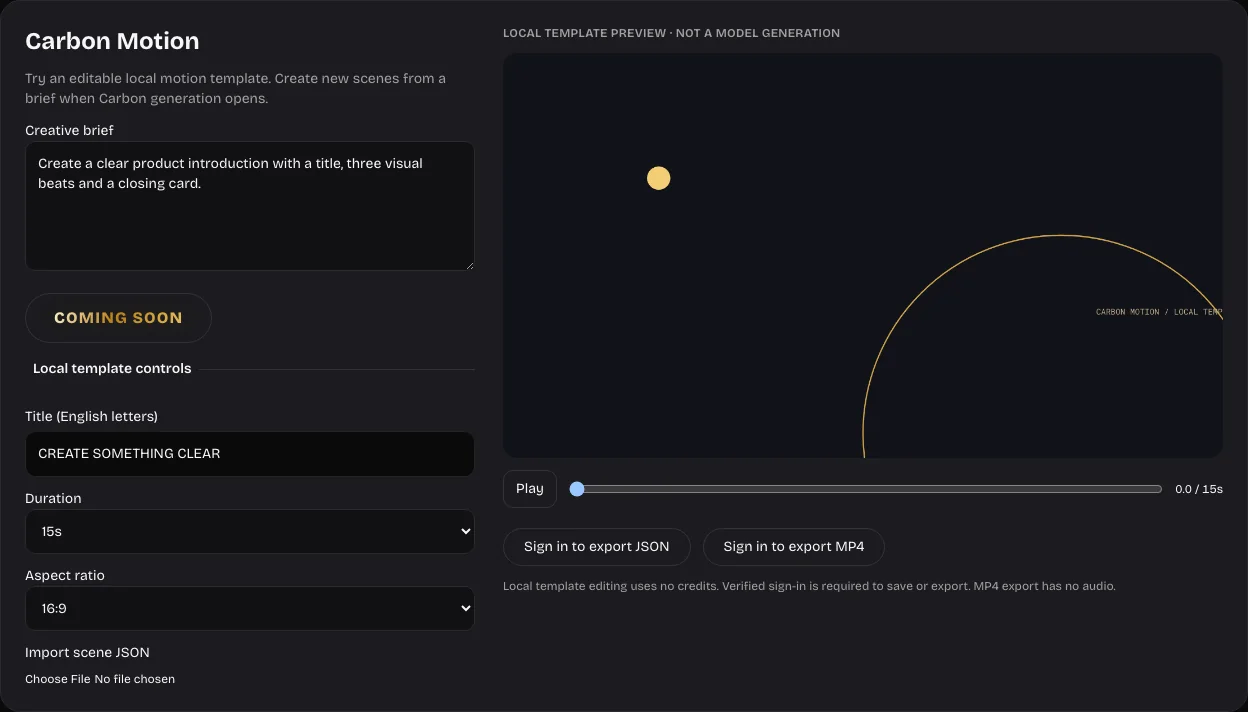
Gemini 4 Carbon Motion currently offers a local starter scene. The gold COMING SOON label marks the unavailable model action. Editing the title, duration or canvas does not send your brief to Carbon, and the starter animation is not presented as a model response. Keep your written direction ready for the future connection.
Make a useful first decision with Gemini 4 Carbon Motion
Choose a single sentence for the Gemini 4 Carbon Motion brief, then decide whether the scene is meant for a presentation, a website or a social post. This small decision helps you judge pacing and framing. You can refine the language while the workspace remains open and compare the visible draft with your intended outcome.
使用方法
How to use Gemini 4 Carbon Motion
 步骤 1
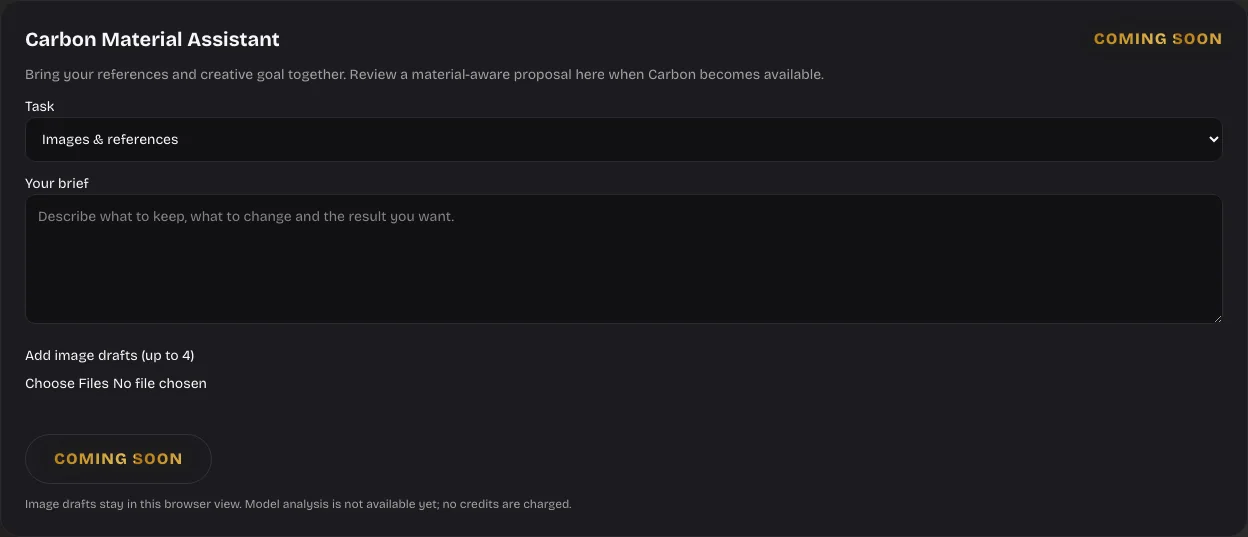
步骤 1Write a focused brief
Describe the audience and the intended result in Gemini 4 Carbon Motion, then choose a short title for the local starter scene.
 步骤 2
步骤 2Preview and adjust
Play Gemini 4 Carbon Motion, inspect the timeline and compare a wide, vertical or square canvas at the duration you need.
 步骤 3
步骤 3Sign in and save
Review your Gemini 4 Carbon Motion draft, sign in with a verified account and save an editable JSON file or a silent MP4.
功能
Gemini 4 Carbon Motion: explore rhythm through a working timeline
A moving scene is easier to assess when you can play it and inspect a moment.
Play the local scene with Gemini 4 Carbon Motion
Gemini 4 Carbon Motion includes a canvas preview with a play control and timeline. Watch the title entrance, moving ring and light against the dark background. These simple elements let you inspect timing without starting a paid generation. Use the preview as a practical sketch while the Carbon model adapter is being prepared.
Choose a duration with Gemini 4 Carbon Motion
Try ten, fifteen, twenty or thirty seconds in Gemini 4 Carbon Motion. The available duration changes the length of the local composition. A short title can work at a quick pace, while a presentation intro may need more breathing room. Review the actual movement after changing this control rather than assuming that a longer clip communicates more.
Inspect a specific frame with Gemini 4 Carbon Motion
Pause Gemini 4 Carbon Motion near an entrance or transition to check the placement of the title. Scrubbing helps reveal whether a scene begins clearly and ends with a useful hold. Preview playback is a local browser operation; it does not reserve generation credits or claim that an unavailable provider has accepted a task.
Gemini 4 Carbon Motion: frame the same idea for different screens
Choose the shape that matches the place where your animation will be used.
Build for a wide screen with Gemini 4 Carbon Motion
Use the widescreen canvas in Gemini 4 Carbon Motion for a presentation or a landscape video. Watch the space around the title and the visual balance of the ring. A composition should still feel intentional when viewed at the size of a laptop screen, with readable words and a clear focal point.
Check a vertical composition with Gemini 4 Carbon Motion
The vertical option in Gemini 4 Carbon Motion helps you explore a tall social format. Switching the ratio changes the canvas that is rendered and exported. Review the text after switching because the same title has less horizontal room. Keep your draft concise and leave enough space around the important words.
Use a square canvas with Gemini 4 Carbon Motion
A square Gemini 4 Carbon Motion draft can suit a compact feed card or an embedded visual. Compare it with the wide and tall versions before deciding which result to save. The ratio control is useful for composition, but it does not create a new creative idea or automatically rewrite the brief for you.
Gemini 4 Carbon Motion: keep the scene structured and reviewable
A small scene format makes local editing and future model integration easier to inspect.
Import a supported scene with Gemini 4 Carbon Motion
Gemini 4 Carbon Motion accepts the supported scene JSON format within the upload limit. The importer validates the scene before it becomes a preview. It does not execute arbitrary JavaScript from an uploaded file. Keep the original JSON if you want to compare a previous version with a later local edit.
Work with supported elements
The Gemini 4 Carbon Motion starter uses a limited set of text, shapes and animation settings. This is an editable motion composition with explicit duration and frame size. It is different from a photorealistic video generator. Use the separate image and video workspaces when your task needs a different rendering model or a recorded clip.
Prepare a future proposal
The planned Gemini 4 Carbon Motion generation interface will connect the brief to a validated scene proposal. The current unavailable state prevents a provider request and prevents a generation charge. Once a supported endpoint is confirmed, the same preview and validation path can be used to review a returned composition before saving it.
Gemini 4 Carbon Motion: save a result to your own account
Explore first, then sign in when you want a persistent output.
Edit as a guest
Visitors can open Gemini 4 Carbon Motion, change the local scene and use its preview before signing in. A guest draft lives in the current browser view. Do not depend on that unsaved view as a permanent project record; use the account save flow when you want a result that can be found again.
Use verified sign in
Gemini 4 Carbon Motion requires a verified account for saving or exporting. If you are signed out, the export control opens the sign in flow. Signing in does not itself run Carbon or spend image and video generation credits. The result is saved privately rather than being added to the public community gallery.
Find the saved output
When Gemini 4 Carbon Motion saves an export, the output is recorded as an AI Task in the account system. The save keeps the file, tool identity and output details together. Access to private saved files is checked against the account, so another visitor cannot retrieve a result by treating its filename as a public link.
Gemini 4 Carbon Motion: export a practical draft for your next step
Review the actual browser render before using the result in another project.
Keep an editable copy
Export JSON from Gemini 4 Carbon Motion when you want to retain the supported scene structure. This file is useful for another editing session and preserves explicit settings. It is not an SVG source file recovered from a social video, and it does not contain the code behind a community demonstration.
Render a silent video
Gemini 4 Carbon Motion can render the local composition as a silent MP4 in a supported browser. The browser export uses the scene you previewed and the selected aspect ratio. It requires sign in and a successful private save. Audio, voice synthesis and photorealistic footage are outside this local motion export.
Review before sharing
Watch the saved Gemini 4 Carbon Motion result from beginning to end. Check title spelling, framing, duration and the final hold. Keep the structured copy if you expect revisions. Community recordings elsewhere on this site can inspire a direction, but they do not guarantee that this starter scene will reproduce the same visuals.
用户评价
Gemini 4 Carbon 视频创作者反馈。
Gemini 4 Carbon 创作者评价
Bee
机械花朵发布者称,这个 Three.js 作品约耗时 1 小时 43 分钟。
阅读社区观察 ↗Lumina
直升机对比的发布者更喜欢 Carbon 的设计,同时认为 Opus 的整体完成度更高。
阅读社区观察 ↗Binkg
可乐瓶发布者将这一作品描述为在 Arena 完成的 SVG 实验。
阅读社区观察 ↗这些是注明来源的社区观察,并非本站客户评价。官方模型介绍:Google DeepMind.
Gemini 4 Carbon 价格与积分套餐
随时取消
年费一次收取,全年积分分 12 次按月发放。付款后发放首月额度,之后按订阅日每月发放;未用积分可累计,各批积分统一在本次年付周期结束时到期。
Lite
50%折扣0.025/积分
每年计费$179· 节省$179.8
视频模型



图像模型



- 包含已接入的图像及视频模型;Carbon 生成即将开放
- 最多1个批量生成任务
- 标准生成速度
- 标准生成成功率
- 标准客户支持
- 商业使用许可
Standard
50%折扣0.017/积分
每年计费$299· 节省$299.8
视频模型
图像模型
- 包含已接入的图像及视频模型;Carbon 生成即将开放
- 最多4个批量生成任务
- 优先处理速度
- 高生成成功率
- 优先客户支持
- 商业使用许可
Pro
50%折扣0.014/积分
每年计费$599· 节省$599.8
视频模型
图像模型
- 包含已接入的图像及视频模型;Carbon 生成即将开放
- 最多10个批量生成任务
- 最快生成速度
- 高生成成功率
- 专属客户经理
- 商业使用许可
Max
50%折扣0.012/积分
每年计费$1,199· 节省$1,199.8
视频模型
图像模型
- 包含已接入的图像及视频模型;Carbon 生成即将开放
- 最多10个批量生成任务
- 最快生成速度
- 高生成成功率
- 专属客户经理
- 商业使用许可
通过以下方式安全支付






















常见问题
常见问题
Can I call the Carbon model now?
No. Gemini 4 Carbon Motion shows COMING SOON for that action. No Carbon request is submitted and no generation credits are charged. The visible animation is a local starter composition.
Do I need to sign in to try the workspace?
You can edit and preview Gemini 4 Carbon Motion as a guest. Saving and exporting require a verified account, and successful saves are recorded privately as AI Tasks.
What can I export?
Gemini 4 Carbon Motion supports editable scene JSON and a silent browser rendered MP4. Review the downloaded result before sharing, and keep JSON for later changes.
Can it recreate a community demo?
The community videos illustrate work attributed to Carbon by their publishers. Gemini 4 Carbon Motion does not extract their original source code or promise an identical recreation.
Does local editing cost credits?
Local title edits, timeline playback and canvas changes in Gemini 4 Carbon Motion use no generation credits. Separate image and video model actions follow their own displayed quotes.
Is this an official Google application?
No. Gemini 4 Carbon Motion belongs to an independent website. Gemini names and official marks identify the referenced model family; this site is not operated by Google.
行动入口
Open Gemini 4 Carbon Motion and explore a draft
Start with a brief and a local composition. Gemini 4 Carbon Motion keeps its unavailable model action clearly marked while you test timing, title and canvas.
Try the motion workspace